
Each document created in Docue Drive is possible to save to a folder. Admin users can save document to each folder in Docue account, whereas members have access only to certain folders. Admins can restrict members folder permission.
More about this topic: Members in Docue Drive
A document can only be stored into one folder at a time, but it is always possible to change the documents folder afterwards. You can always search your documents with different filters.
Saving a document to a folder-
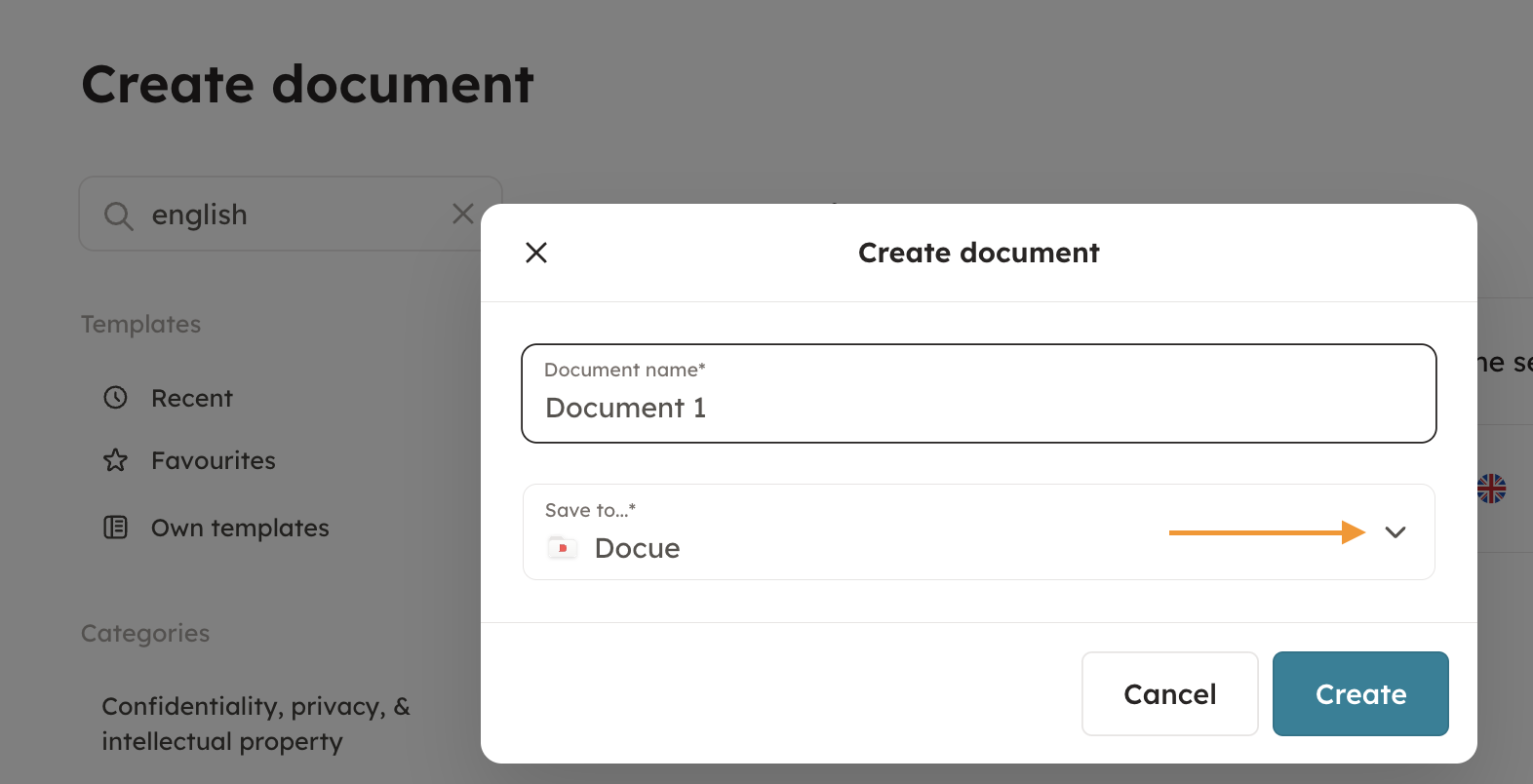
From Create document
When you start creating a document, you are first able to choose a folder for your document. I you can not find a suitable folder for your document, you can create a new folder.
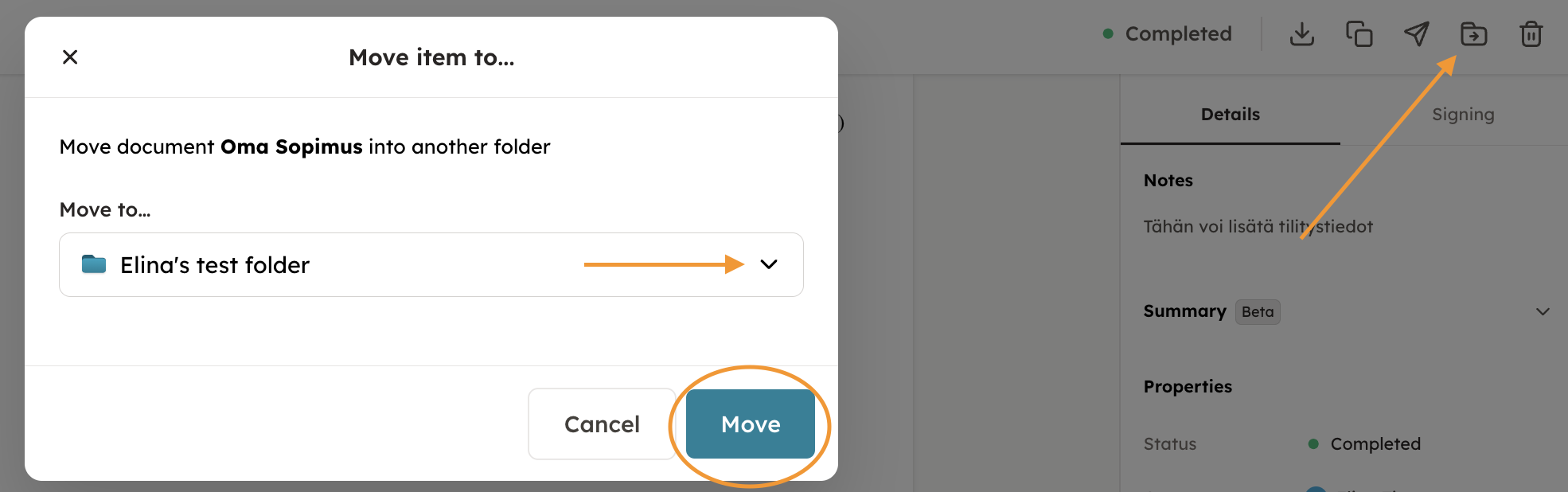
2. From document's information
Open the document from archive and choose move to folder.
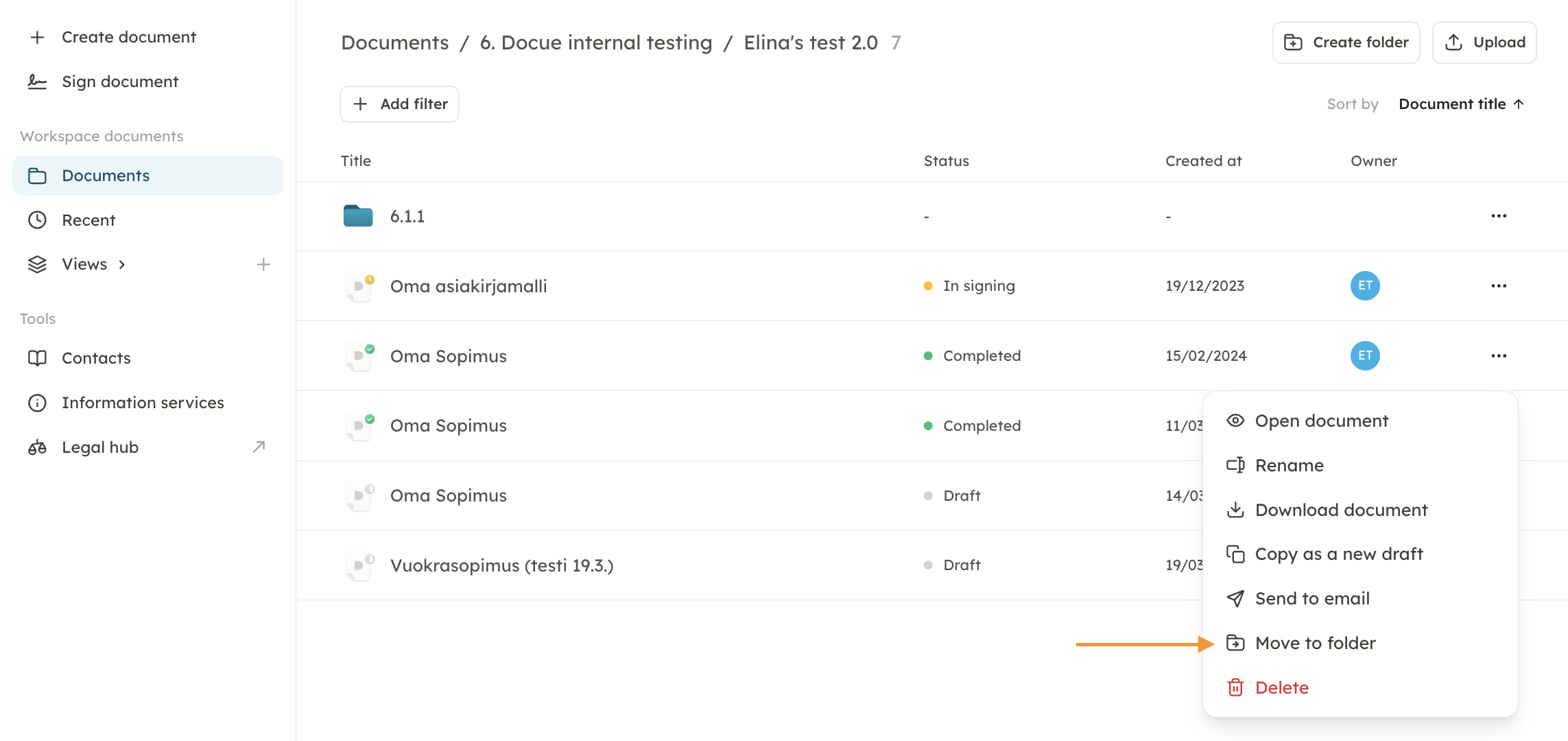
3. From archive
Go to Documents and search for the document you wish to store into a certain folder.
Choose the three dots, and move to folder.
4. Move multiple documents to a folder
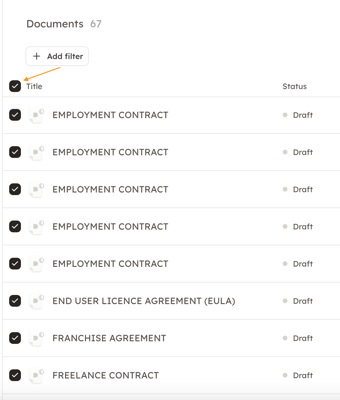
There is a possibility to choose multiple documents and move them all to a specific folder. First go to "Documents". Next you can either click individually on the documents which you want to move (see picture below).
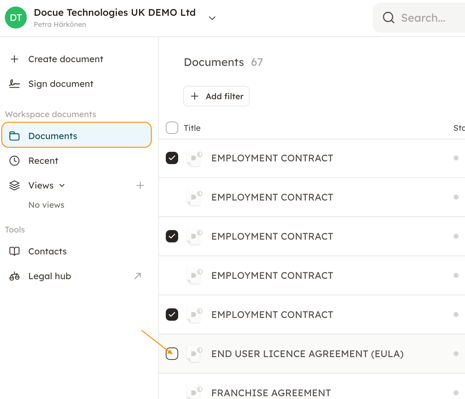
Or if you have many documents / you need to move all of the documents, you can simply click the box next to "Title" and all the documents will be selected.
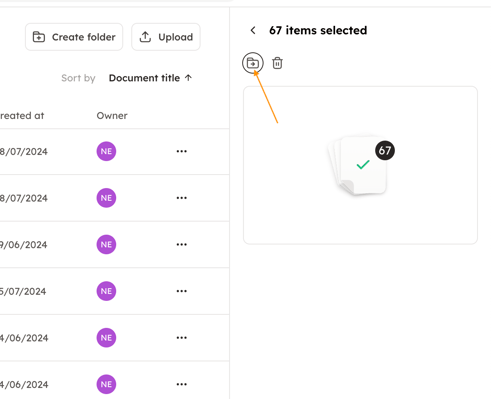
Next you can move the selected documents to a folder by clicking on "move to folder".
Keywords: folder, move to folder, store to folder