
Admins in the platform can remove other users from the workspace:
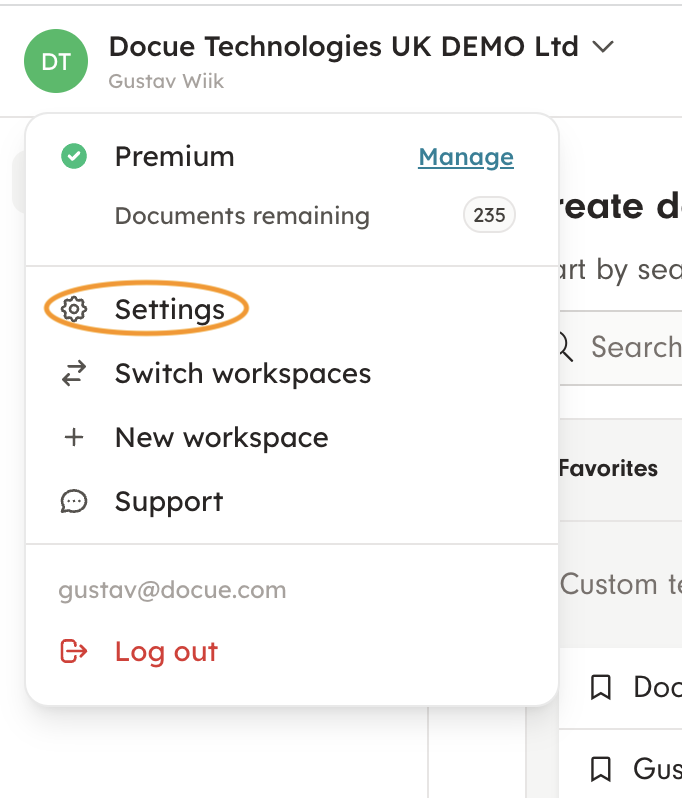
1. Go to settings (on the front page in the upper left corner, when you click on the name a menu pops up)
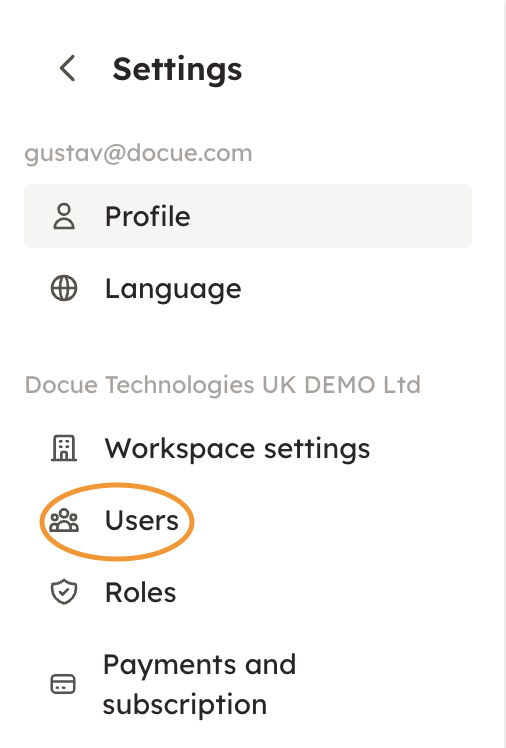
2. In settings, click on "Users"
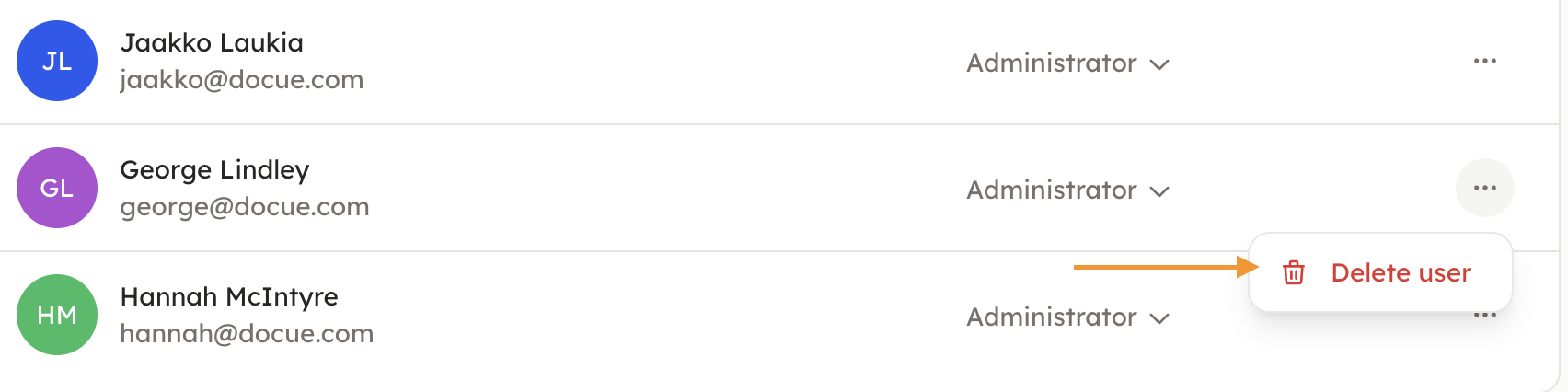
3. Click on the three dots on the person you wish to remove from the workspace, and choose "Delete user".
Note that removing a user from a business workspace doesn't delete a user's personal workspace, it just removes them from the business one.